Every modern workspace relies on a handful of essential leads: a braided USB-C power cord for a laptop, a display cable, a charging lead for a phone, and a peripheral wire for a keyboard or mouse. While these devices are engineered with precision, the moment you unplug a laptop to take it to a meeting, the cord slips off the back edge of the desk and drops to the floor.
Over weeks and months, retrieving fallen cables becomes an accepted friction of working at a desk. Cords coil around monitor arms, snag on chair casters, and create visual noise across an otherwise clean surface. A workspace designed for focus ends up feeling unfinished—not because of the hardware on the desk, but because of the unmanaged wires connecting it.
Why Traditional Adhesive and Silicone Clips Fail
When most people decide to fix their desk cables, they reach for a pack of inexpensive peel-and-stick silicone or plastic clips. At first glance, they seem to solve the problem. Within a few weeks of real-world use, however, three mechanical flaws become obvious:
- Silicone Slot Deformation: Generic rubber and silicone slots rely on friction to pinch a wire in place. Heavy braided Thunderbolt and USB-C cables exert constant downward tension, stretching those thin rubber fingers open until the cord slips right through.
- Adhesive Degradation and Surface Damage: Standard clips use foam tape backed by pressure-sensitive glue. Under daily cable tension, temperature shifts, and standing-desk movement, the tape slowly peels up at the edges. Worse, when you decide to rearrange your monitor or remove the clip, the foam tears apart—leaving a stubborn, dust-collecting sticky film or pulling the finish off a solid wood veneer.
- Two-Handed Friction: Rigid plastic clips require you to pry open a narrow channel and force the wire inside. Instead of making your workflow smoother, plugging and unplugging a device becomes a two-handed chore that pulls the entire clip off the desk.
Three Principles of Architectural Cable Flow
Applying German functionalist design principles to workspace hardware means treating cable organization as a problem of physics and geometry rather than temporary tape. A permanent, low-profile desk setup follows three rules:
- Mass and Surface Grip Over Glue: An anchor should stay in place through physical weight and vacuum suction rather than chemical adhesives that degrade or stain your furniture.
- One-Handed Magnetic Release: You should be able to lift a charging cable with one hand, plug it into your device, and let it snap back into position effortlessly when you are done.
- Visual Quietness: Hardware on your desktop should feature a clean, matte profile that absorbs ambient light and blends into the architecture of your setup rather than drawing attention to itself.
Introducing the Gridspace™ System
We engineered the Gridspace™ Desktop Magnetic Cable Dock specifically to eliminate the compromises of disposable plastic clips.
1. A 50g Weighted Matte Base with Micro-Suction
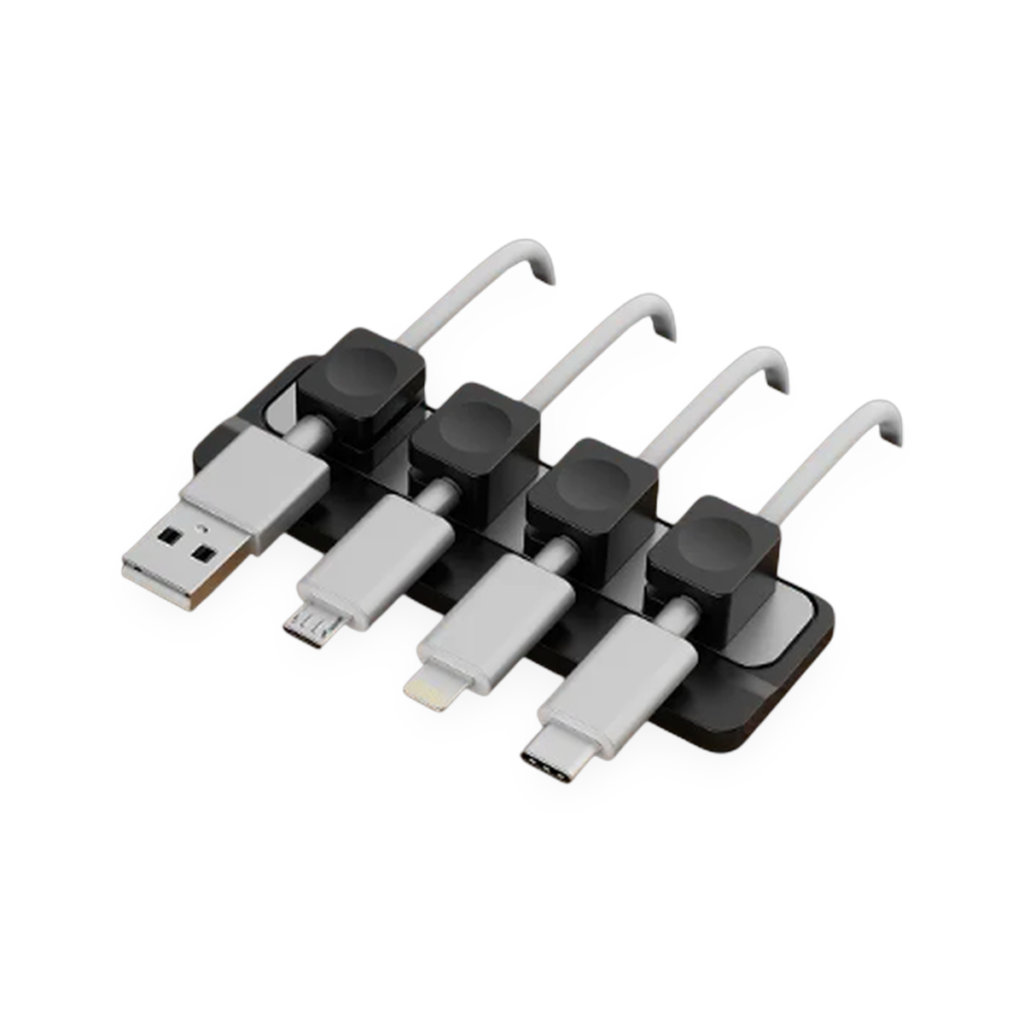
At the core of the Gridspace™ system is a compact, low-profile base measuring 90 × 30 × 5 mm and weighing 50 grams. Crafted from a dense, weighted matte composite with an anti-slip soft-touch finish, it sits completely flat on your work surface.
Beneath the dock is a reusable micro-suction nano base. Instead of sticky glue, the underside is lined with millions of microscopic vacuum cavities that grip smooth wood, laminate, glass, or metal surfaces when pressed down. It holds firmly against horizontal cable pull, yet peels off cleanly in seconds whenever you want to reposition it—leaving zero residue behind. If dust ever accumulates on the base, a quick rinse with water restores 100% of its grip.
2. Flexible Silicone Magnetic Collars
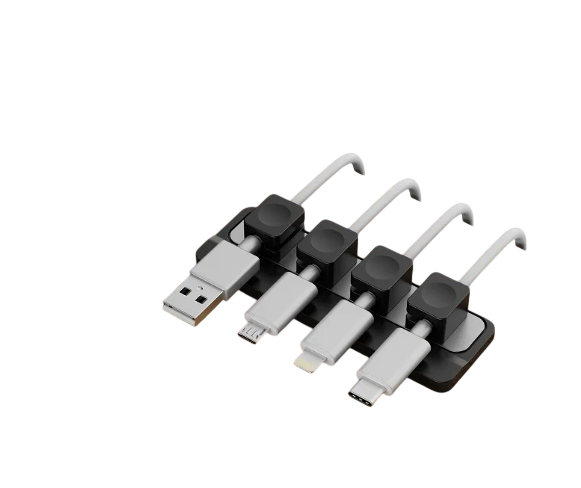
Each dock includes four flexible silicone magnetic collar sleeves (16 × 13 × 11 mm) engineered with an internal aperture ranging from 2.5 mm to 6.5 mm. The collars wrap snugly around everything from thin phone charging leads to thick, heavy-duty braided USB-C and mechanical keyboard cables.
Embedded neodymium magnets inside the collars lock onto the dock’s magnetic channel with a crisp, tactile click. When you need to charge a device, you simply lift the cord; when you finish, the collar guides the cable right back to its resting spot.
3. Configurations Built for Every Workstation
Because no two setups are identical, Gridspace™ is available in three modular tiers:
- Single Desk Setup ($49 CAD): Includes 1 weighted magnetic dock and 4 magnetic collars—ideal for anchoring a primary laptop and monitor workstation.
- Duo Set ($84 CAD): Includes 2 weighted docks and 8 magnetic collars, allowing you to maintain a unified design language across a dual-monitor desk, a secondary work zone, or your bedside nightstand.
- Complete Studio Kit ($79 CAD): Combines 1 desktop magnetic dock (with 4 collars) and 6 discrete under-desk routing clips. While the desktop dock keeps your active connectors within reach on top, the under-desk clips channel excess slack cleanly along the underside frame of your desk so no wires hang visible below.
Step-by-Step Guide to Resetting Your Desk Cables
Setting up a permanent, clutter-free cable path takes less than five minutes:
- Prep the Surface: Choose the spot on your desk where your primary cables converge—typically near the rear edge or beside your monitor stand. Wipe the surface with a dry cloth so it is free of dust.
- Anchor the Base: Peel the protective film off the Gridspace™ micro-suction underside and press the dock firmly onto the desk for five seconds to engage the vacuum seal.
- Fit the Magnetic Collars: Slip the flexible silicone collars over your most-used cables (USB-C, MagSafe, Thunderbolt, or audio leads) about 10 to 15 cm below the connector tip.
- Route Under-Desk Slack (Studio Kit): If using the Complete Studio Kit, mount the under-desk routing clips along the back underside edge of your desk to guide power bricks and display leads out of sight.
- Snap into Place: Rest each collared cable onto the dock. The magnetic channel aligns your cords in a neat, parallel row—ready whenever you reach for them.
Summary Checklist for a Clutter-Free Workspace
- Eliminate chemical tape: Replace foam-tape clips with reusable micro-suction to protect your desk finish.
- Match collar to cable: Use flexible 2.5–6.5 mm magnetic sleeves that accommodate both slim charging cords and thick braided cables.
- Separate active vs. static wires: Keep daily-use connectors anchored on top with the desktop dock, and tuck permanent power cords underneath the desk frame.
When the desk is ready for a refined, distraction-free surface, explore the Gridspace collection at https://darmstadtlabs.com/gridspace/ and choose the configuration that fits your workflow.